Assignments need structure first
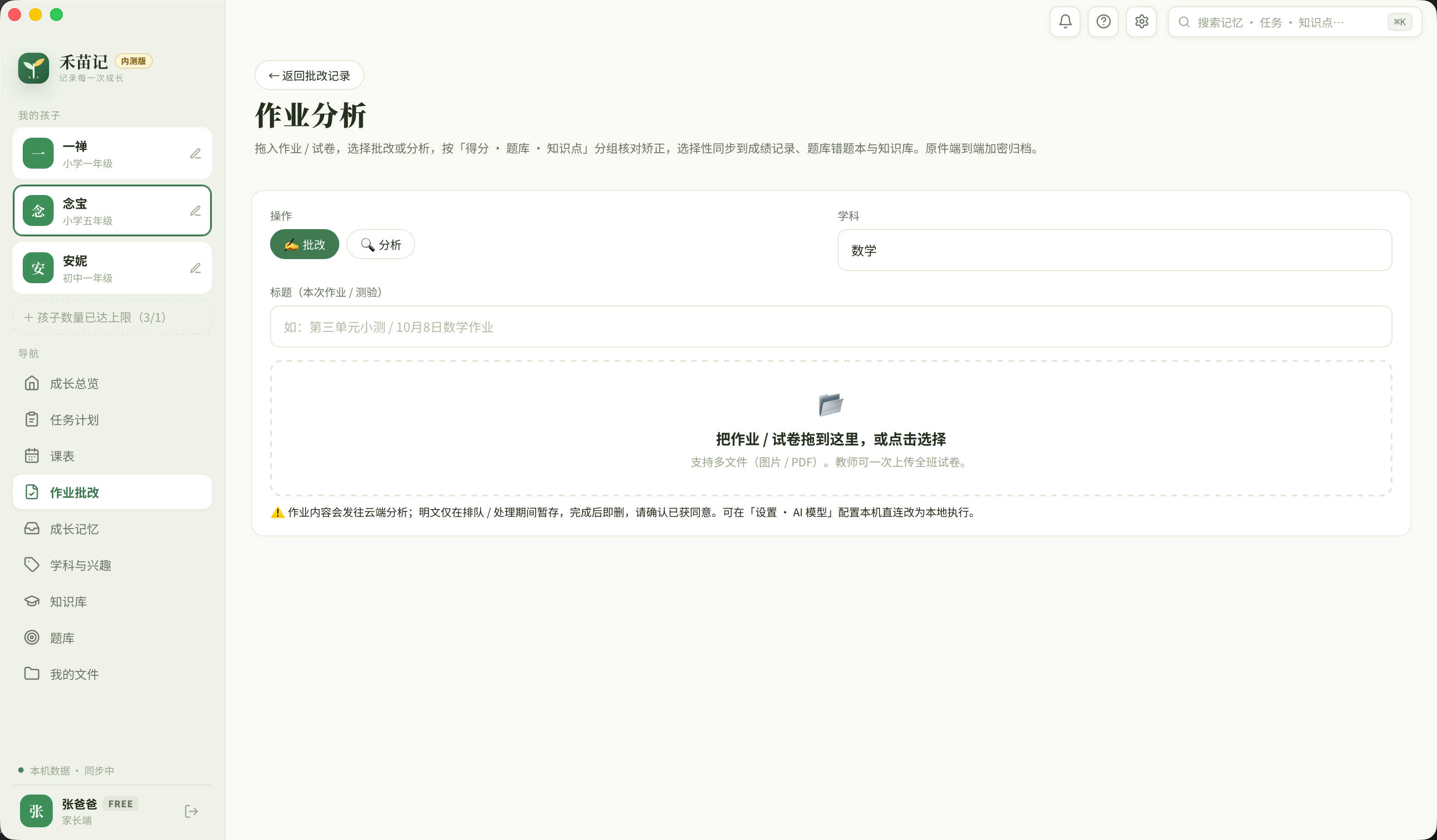
Upload individual images or a complete PDF, then add the subject and assignment title so every result keeps a clear source.
Upload an assignment or test, let AI identify questions and analyze answers, then review the result before mistakes, concepts and follow-up tasks enter the learning record.
Someone still has to organize assignment images, identify why an answer failed and turn feedback into useful follow-up practice. A one-off comment disappears before the next similar mistake arrives.
Upload individual images or a complete PDF, then add the subject and assignment title so every result keeps a clear source.
Hemiaoji separates mistakes, concepts, grading notes and practice suggestions into reusable records instead of producing disposable prose.
Recognition and analysis can be wrong. Results stay in review until an authorized teacher or parent confirms what should move forward.
Every step has a clear input, a human review point and a destination. The workflow keeps AI useful without allowing one mistake to spread through the learning record.
Add images or a PDF, choose grading or analysis, and record the subject and assignment title.
AI reads the page structure, questions and student responses, then prepares results that can be checked item by item.
A teacher or parent checks grouped results and corrects inaccurate recognition or judgment.
Selected mistakes, concepts and practice suggestions can move into the question bank, knowledge records or growth archive.
Keep questions with their subject and source instead of relying on scattered photos and paper marks.
Connect error patterns to specific concepts and build a reviewable trail of weak areas.
Turn review and practice needs into the next actionable task instead of stopping at feedback.
Hemiaoji does not turn one AI result into a lasting conclusion about a student. Cloud analysis sends only the content needed for a request the user starts, and local models can be configured in settings. Important results still require human confirmation.
Turn grading findings into scheduled tasks with deadlines, receipts and review feedback.
→Download Hemiaoji to try upload, analysis, review and knowledge or task follow-up in the actual client.
Download the client Hemiaoji
A collaborative memory system for education. Local-first and permission-controlled, so every step of growth is recorded — steadily.